Stop the tab toggle.
Respond 10x faster to any message you get.
Stop the tab toggle.
Respond 10x faster to any message you get.
Let the Runbear do the running.
Your inbox runner fetches context, drafts your reply, and sets up your next action instantly.
Let the Runbear do the running.
Your inbox runner fetches context, drafts your reply, and sets up your next action instantly.
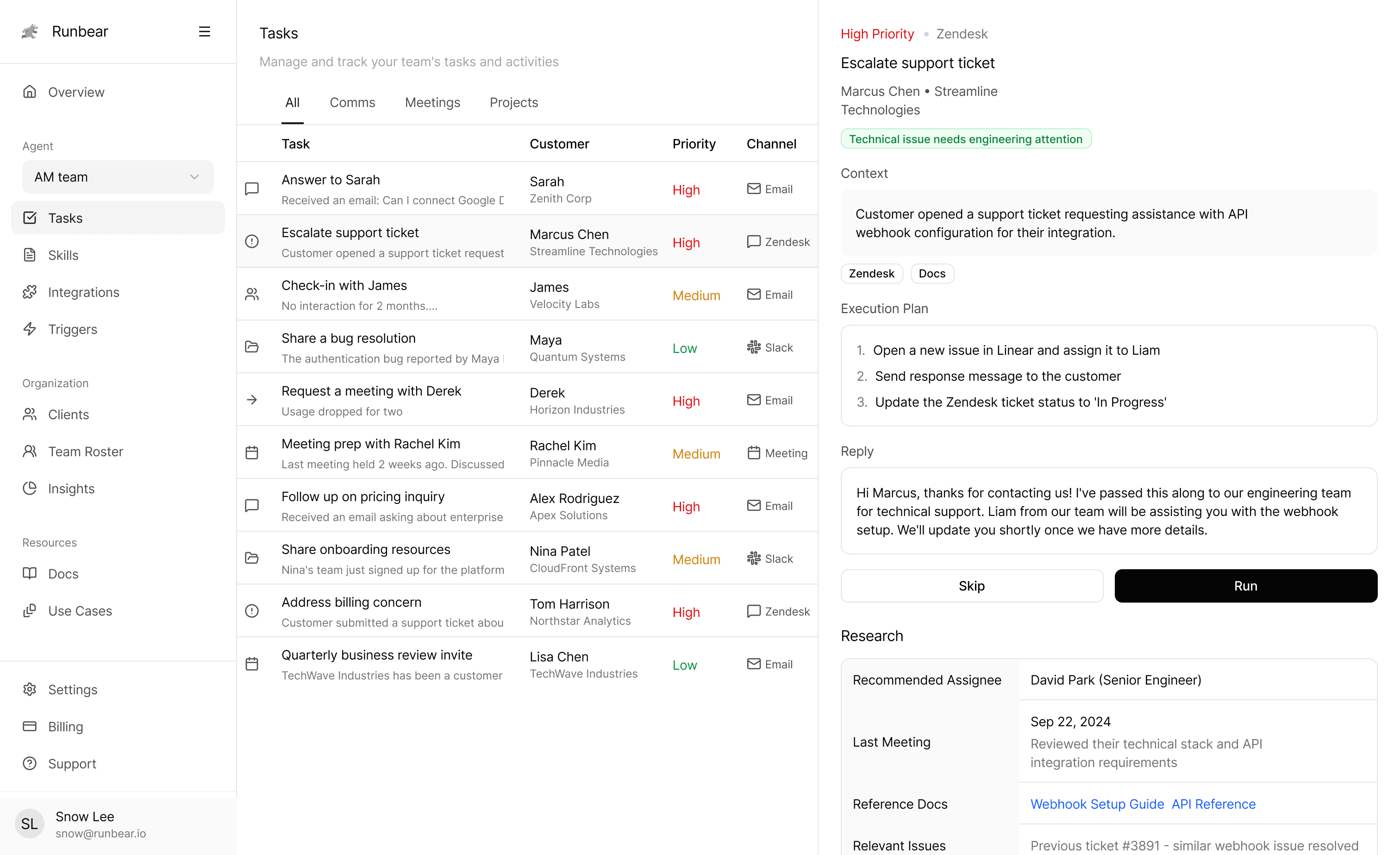
Trusted by 300+ companies worldwide


IN ACTION
IN ACTION
IN ACTION
Built for B2B customer-facing teams
From emails to reports, Runbear learns how to work like you and gets things done.
IN ACTION
IN ACTION
IN ACTION
Gets 10× more done — and focus on what matters: strategy and relationships.
Runbear provided the most straightforward way to integrate AI into our support operations—no extensive training required
Todd Heckmann
President of LaserAway
BENEFITS
BENEFITS
BENEFITS
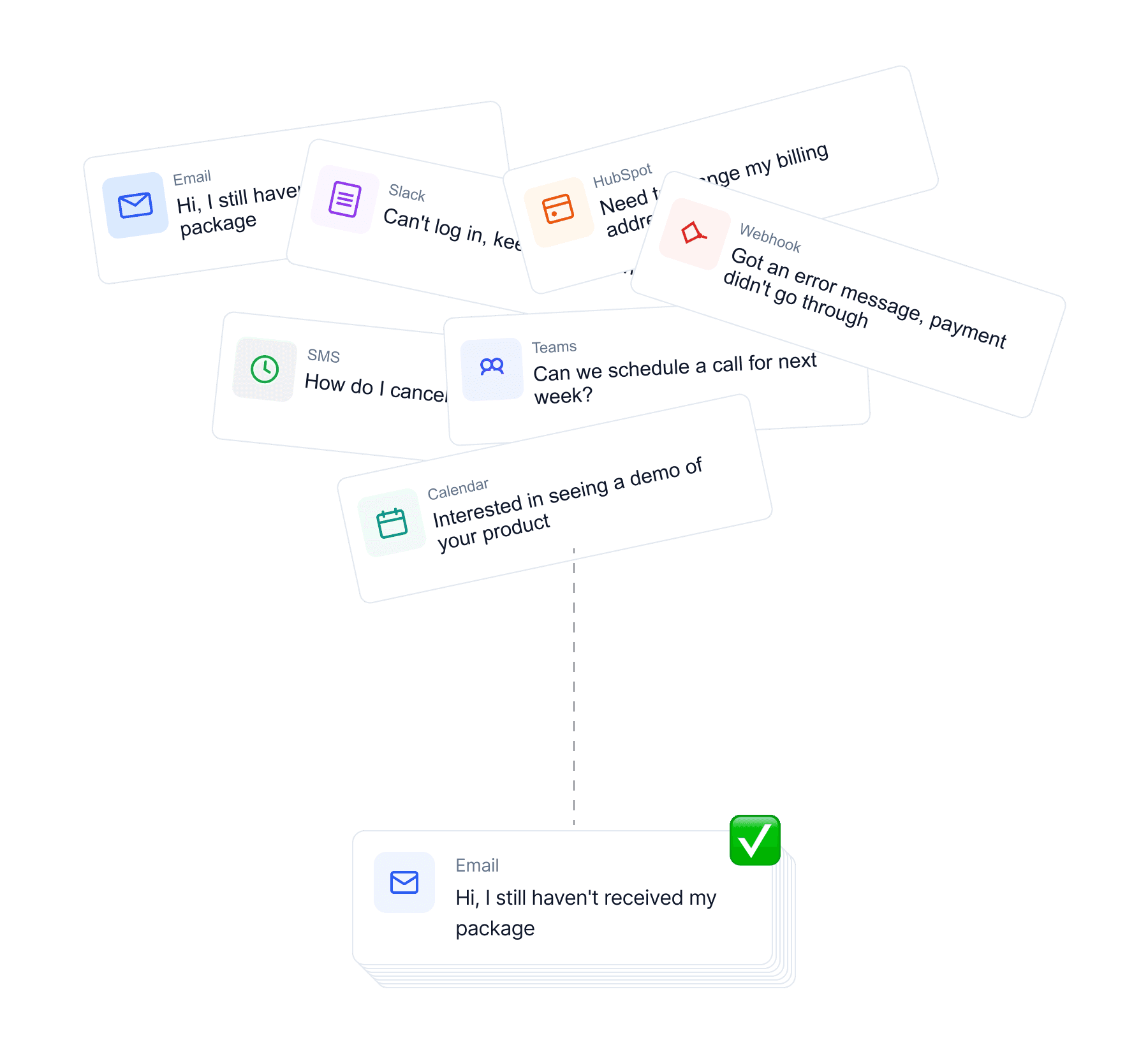
AI does the work. You make the call.
Delegate your work to AI agents — from the day one.
10x faster support with AI
Find solutions, share guides, escalate issues, and report updates.
Autopilot for client signals
Monitor client signals, take actions at the right time.
Relationship-first trustable AI
Use your team’s words and phrases, keeps learning your work.
AI under your control
Review this quick summary to approve and proceed.
Draft client emails
Summarize client meetings
Sync Slack and Email threads
Prepare meeting briefs
Log updates to CRMs
Generate follow-up messages
Flag churn-risk accounts
Send renewal reminders
Assign support tickets
Share product updates
Detect upsell opportunities
Automate weekly check-ins
PRODUCTS
PRODUCTS
PRODUCTS
Powerful products, built for modern teams
It works perfect with or without your CRM.
Unified View
Unified View
Unified View
Instant Prep
Instant Prep
Instant Prep
From Draft to Done
From Draft to Done
From Draft to Done
Workflow Intelligence
Workflow Intelligence
Workflow Intelligence
Unified View
Unified View
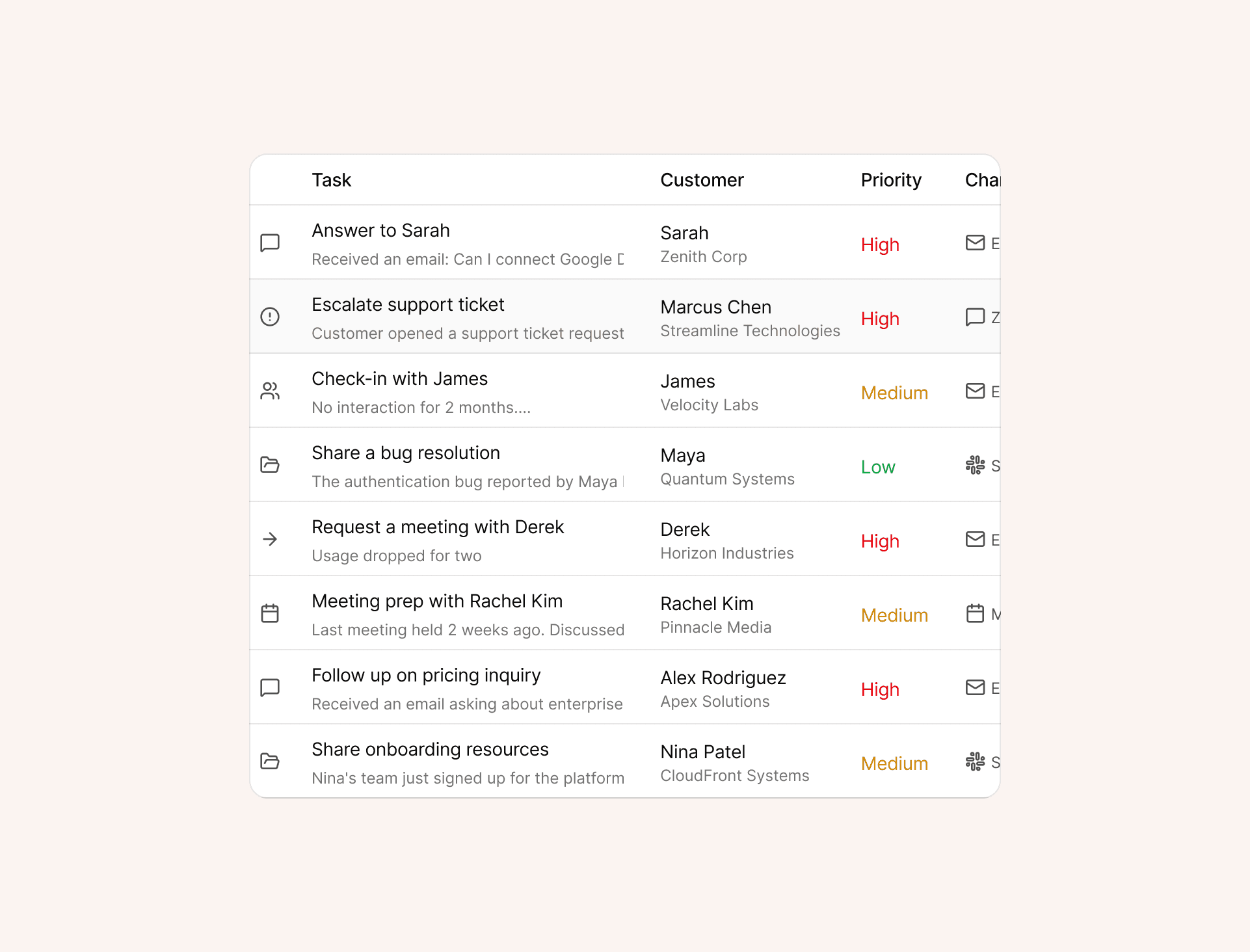
Know what needs your attention
Runbear brings all client updates, messages, and tasks into one shared view. See exactly what’s happening across Slack, Email, and CRM — so nothing slips through the cracks.
Unified View
Know what needs your attention
Runbear brings all client updates, messages, and tasks into one shared view. See exactly what’s happening across Slack, Email, and CRM — so nothing slips through the cracks.
Instant Prep
Instant Prep
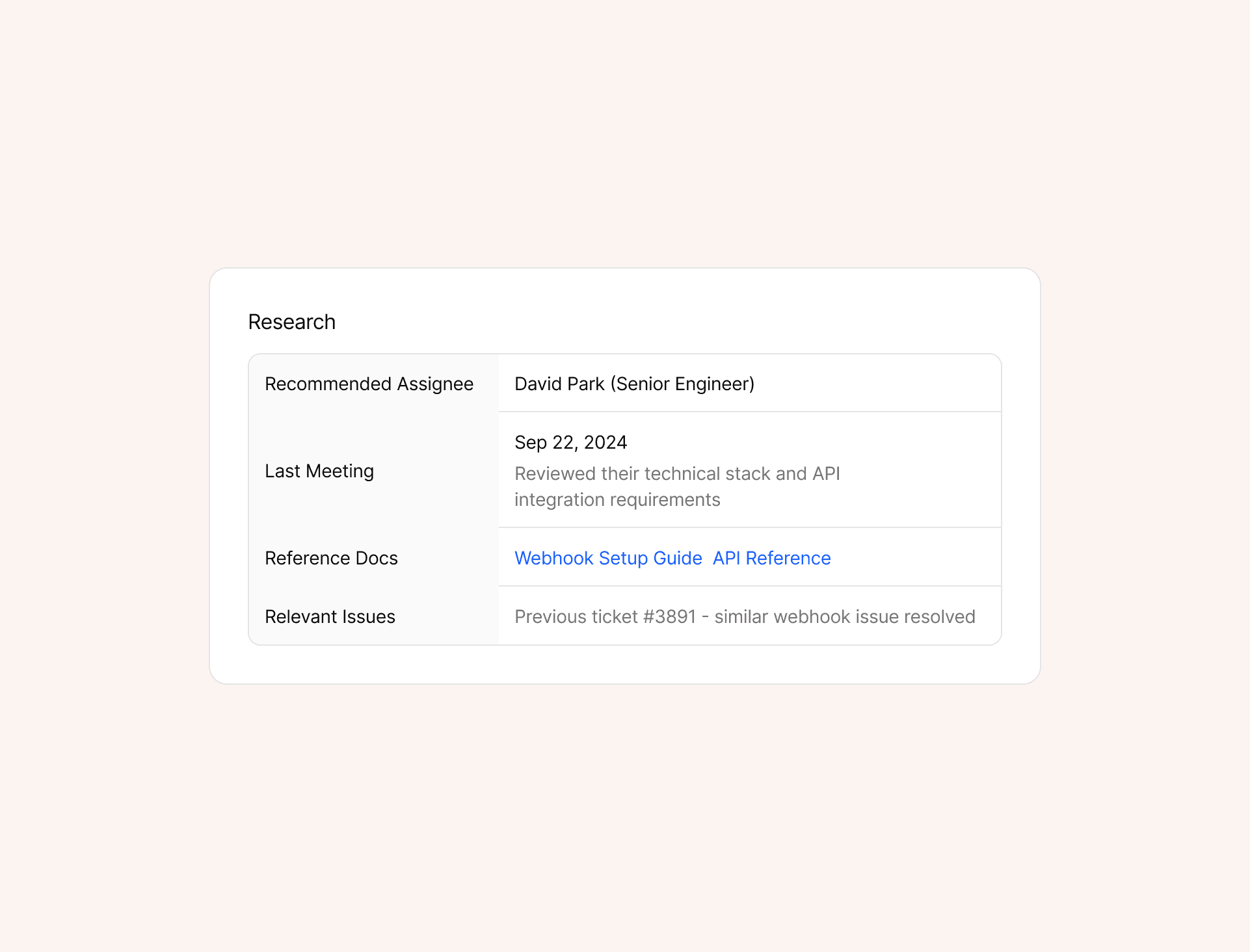
Get data ready before you start
Before you even reply, Runbear summarizes the issue, gathers context and relevant data, and drafts next steps — so you can act fast.
Instant Prep
Get data ready before you start
Before you even reply, Runbear summarizes the issue, gathers context and relevant data, and drafts next steps — so you can act fast.
From Draft to Done
From Draft to Done
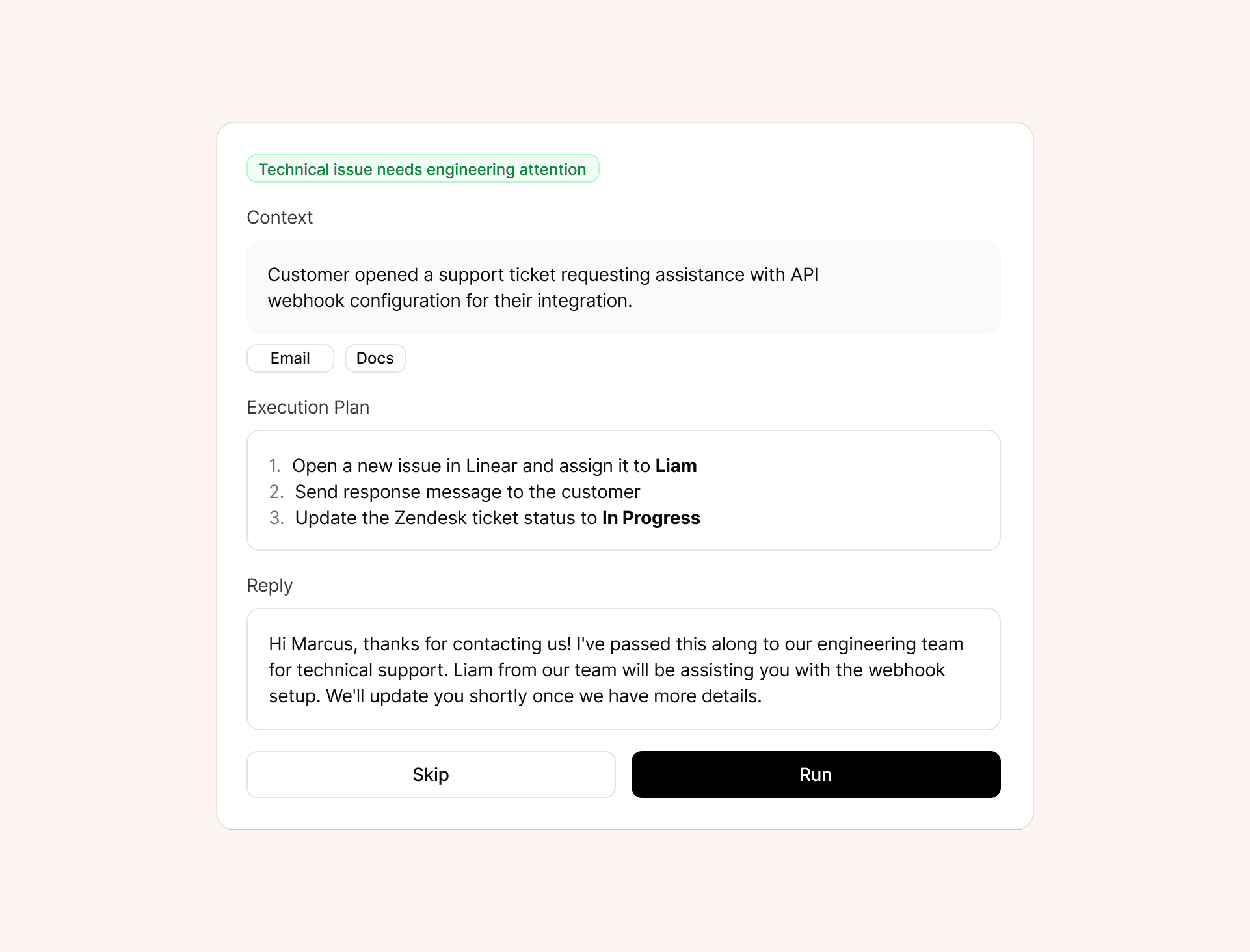
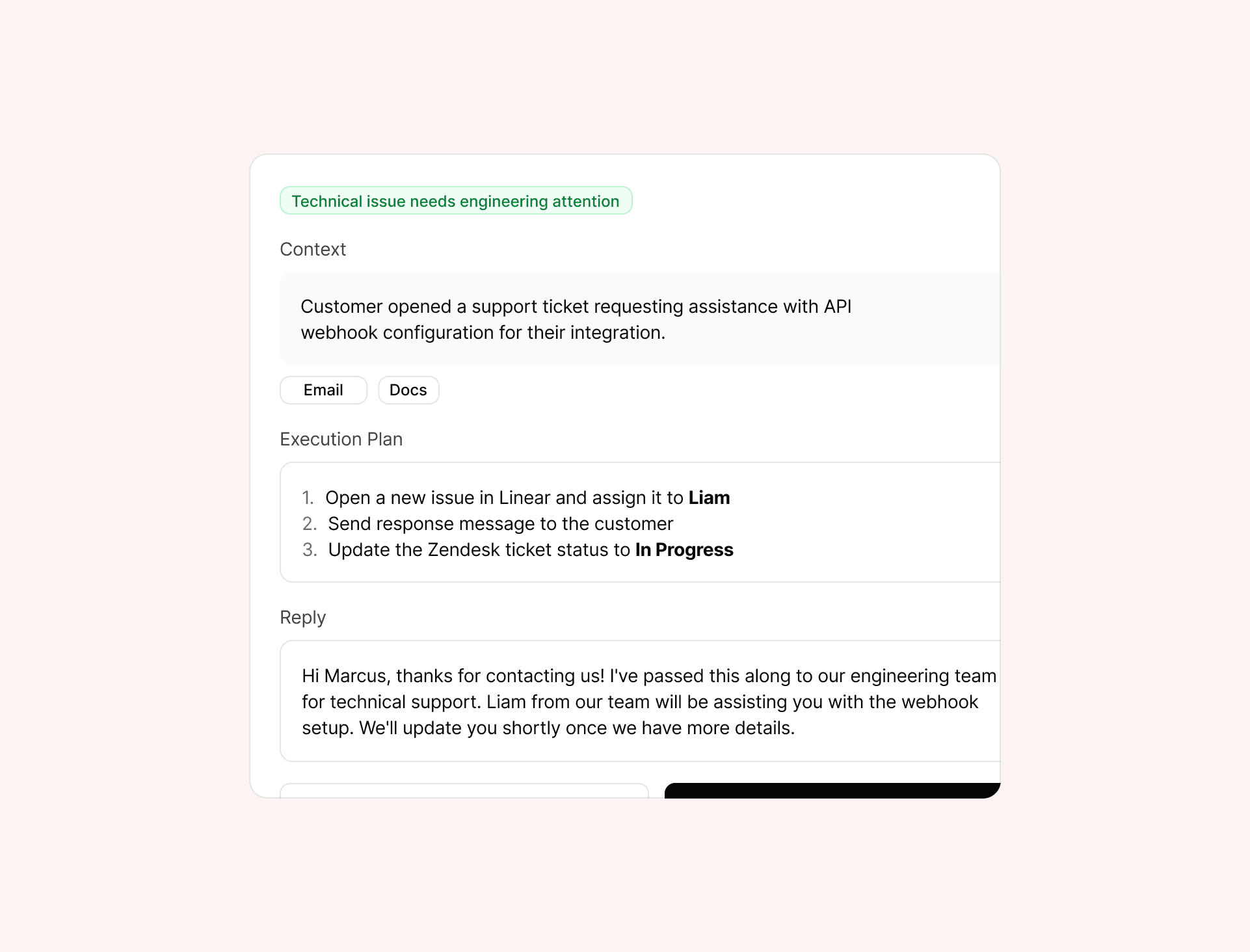
Review & execute with one click
Review, edit, and approve — then Runbear updates HubSpot, sends messages, or logs activity automatically.
From Draft to Done
Review & execute with one click
Review, edit, and approve — then Runbear updates HubSpot, sends messages, or logs activity automatically.
Workflow Intelligence
Workflow Intelligence
Workflow Intelligence
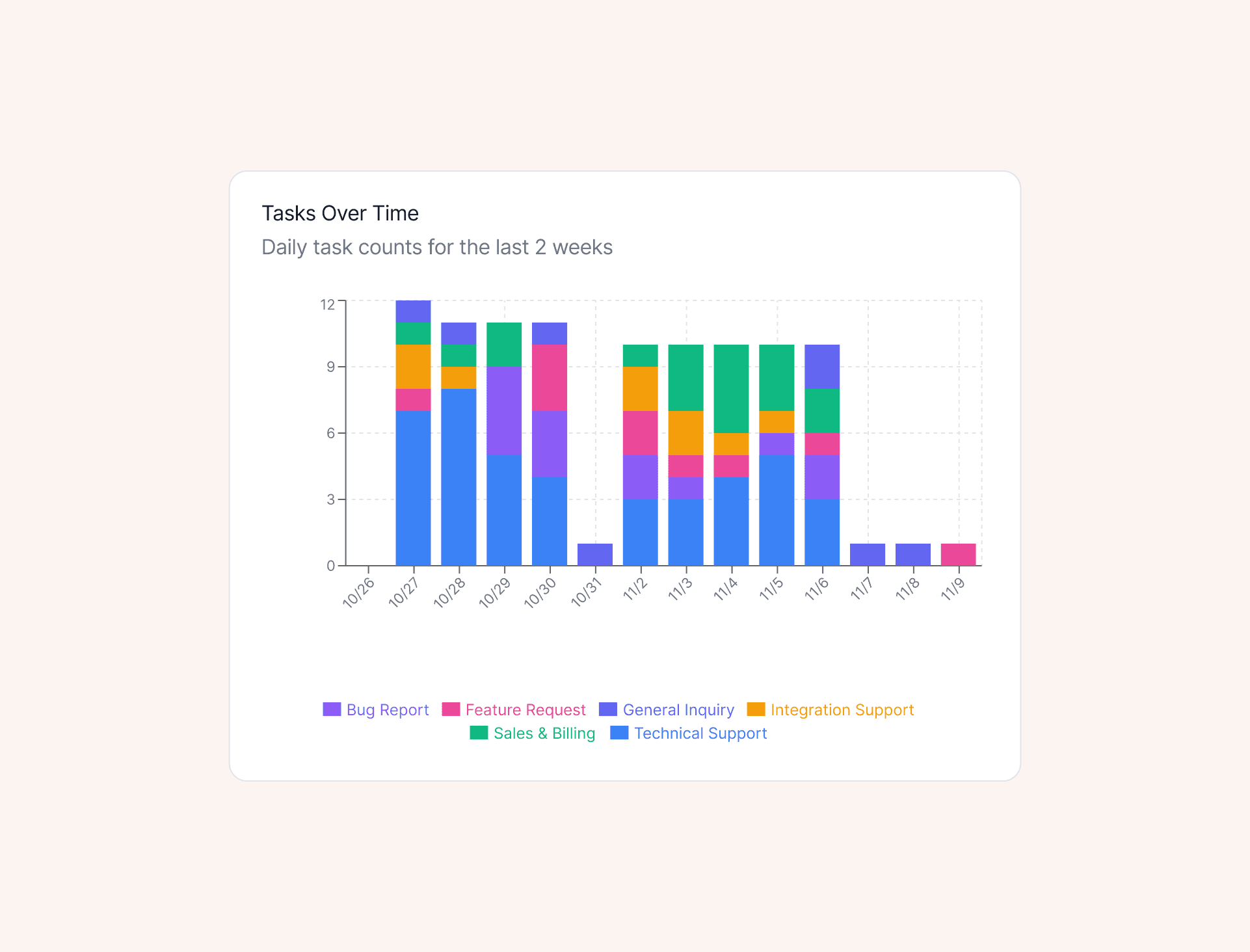
Gets smarter every week
Runbear learns from your actions and patterns.
It identifies repeatable workflows, suggests new automations, and gradually handles more on its own — freeing you to focus on relationships, not routine work.
FAQ
FAQ
FAQ
Frequently asked questions
Frequently asked questions
Everything you need to know about getting started with Runbear.
Everything you need to know about getting started with Runbear.
What can I automate with Runbear?
Runbear helps Account Managers automate the work that eats up their week — from drafting client emails and follow-ups to summarizing meetings, creating reports, and updating CRMs.
Do I need technical skills to use it?
Not at all. Runbear connects with your existing tools and starts assisting right away — no setup, no code, no workflow redesign needed.
Is my data secure?
Yes. Runbear uses enterprise-grade encryption and never stores your customer data outside your workspace. Your emails, CRM data, and client notes stay completely private.
Can I keep my current workflow?
Absolutely. Runbear is designed to work with or without your existing CRM or processes. You can start small — just connect Slack or Gmail — and expand over time.
Which tools does Runbear connect with?
Runbear integrates with Slack, Gmail, HubSpot, Zendesk, Linear, and more. We’re constantly adding new integrations based on what teams use most.
How quickly can my team get started?
Setup takes minutes. Connect your tools, and Runbear immediately begins consolidating tasks and drafting replies — no training or onboarding required.
How does Runbear learn over time?
Runbear adapts to your writing style, task patterns, and client behaviors. The more you use it, the smarter and more personalized your automation becomes.
What can I automate with Runbear?
Runbear helps Account Managers automate the work that eats up their week — from drafting client emails and follow-ups to summarizing meetings, creating reports, and updating CRMs.
Do I need technical skills to use it?
Not at all. Runbear connects with your existing tools and starts assisting right away — no setup, no code, no workflow redesign needed.
Is my data secure?
Yes. Runbear uses enterprise-grade encryption and never stores your customer data outside your workspace. Your emails, CRM data, and client notes stay completely private.
Can I keep my current workflow?
Absolutely. Runbear is designed to work with or without your existing CRM or processes. You can start small — just connect Slack or Gmail — and expand over time.
Which tools does Runbear connect with?
Runbear integrates with Slack, Gmail, HubSpot, Zendesk, Linear, and more. We’re constantly adding new integrations based on what teams use most.
How quickly can my team get started?
Setup takes minutes. Connect your tools, and Runbear immediately begins consolidating tasks and drafting replies — no training or onboarding required.
How does Runbear learn over time?
Runbear adapts to your writing style, task patterns, and client behaviors. The more you use it, the smarter and more personalized your automation becomes.
What can I automate with Runbear?
Runbear helps Account Managers automate the work that eats up their week — from drafting client emails and follow-ups to summarizing meetings, creating reports, and updating CRMs.
Do I need technical skills to use it?
Not at all. Runbear connects with your existing tools and starts assisting right away — no setup, no code, no workflow redesign needed.
Is my data secure?
Yes. Runbear uses enterprise-grade encryption and never stores your customer data outside your workspace. Your emails, CRM data, and client notes stay completely private.
Can I keep my current workflow?
Absolutely. Runbear is designed to work with or without your existing CRM or processes. You can start small — just connect Slack or Gmail — and expand over time.
Which tools does Runbear connect with?
Runbear integrates with Slack, Gmail, HubSpot, Zendesk, Linear, and more. We’re constantly adding new integrations based on what teams use most.
How quickly can my team get started?
Setup takes minutes. Connect your tools, and Runbear immediately begins consolidating tasks and drafting replies — no training or onboarding required.
How does Runbear learn over time?
Runbear adapts to your writing style, task patterns, and client behaviors. The more you use it, the smarter and more personalized your automation becomes.
Let Runbear handle the busywork.
You focus on people.
Automate client tasks and free your team to focus on building real relationships — not chasing updates.
Let Runbear handle the busywork.
You focus on people.
Automate client tasks and free your team to focus on building real relationships — not chasing updates.
Let Runbear handle the busywork.
You focus on people.
Automate client tasks and free your team to focus on building real relationships — not chasing updates.